Dashboard
Today’s sales, the average sale, items that are low or out of stock and unpaid credit, with a seven-day sales chart, a restock list and the latest sales.
A YERS product you can try right now. The live demo shows how a shop system built by YERS handles sales, stock, customer credit and the end-of-day report. It runs in your browser on sample data, and nothing you enter is saved.
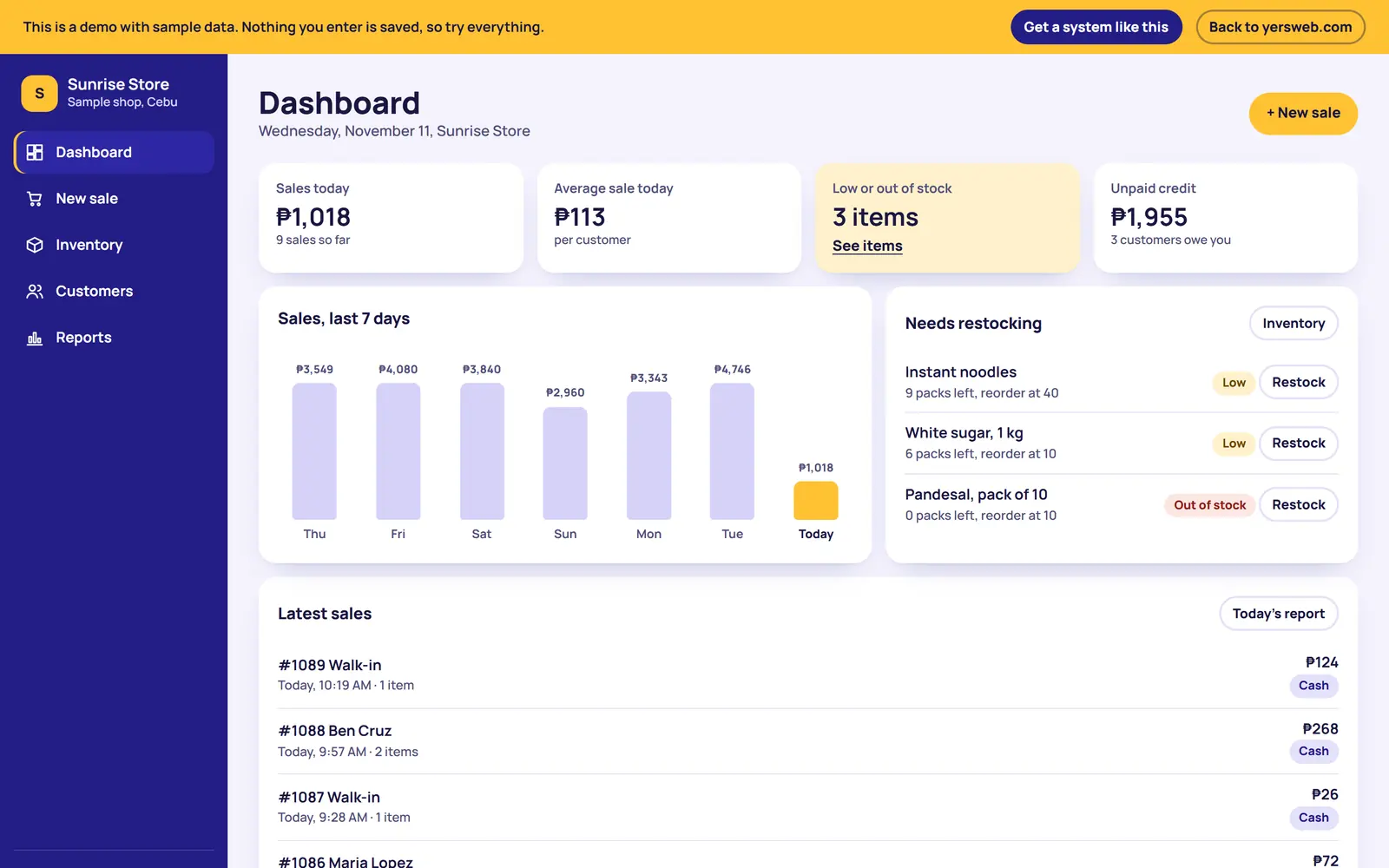
YERS Shop System is our own product: a demonstration of a shop management system for small stores that still run on stock notebooks, sales tallies and a credit listahan. It puts selling, inventory, customer credit and the end-of-day count in one place.
The public version is an interactive demo. It is set in a made-up shop called Sunrise Store and filled with sample products, customers and a week of sales. It runs entirely in your browser, so nothing you enter is saved and reloading the page starts it fresh. A notice on every screen says so.
The demo shows how a shop system built by YERS works. A system for a client is built around their own shop, with their products, their way of selling and the features they need.
Recording a sale lowers the stock, changes the dashboard totals, appears in the customer’s history and lands in the right column of the daily report. Every section is drawn from the same set of data, so they always match.
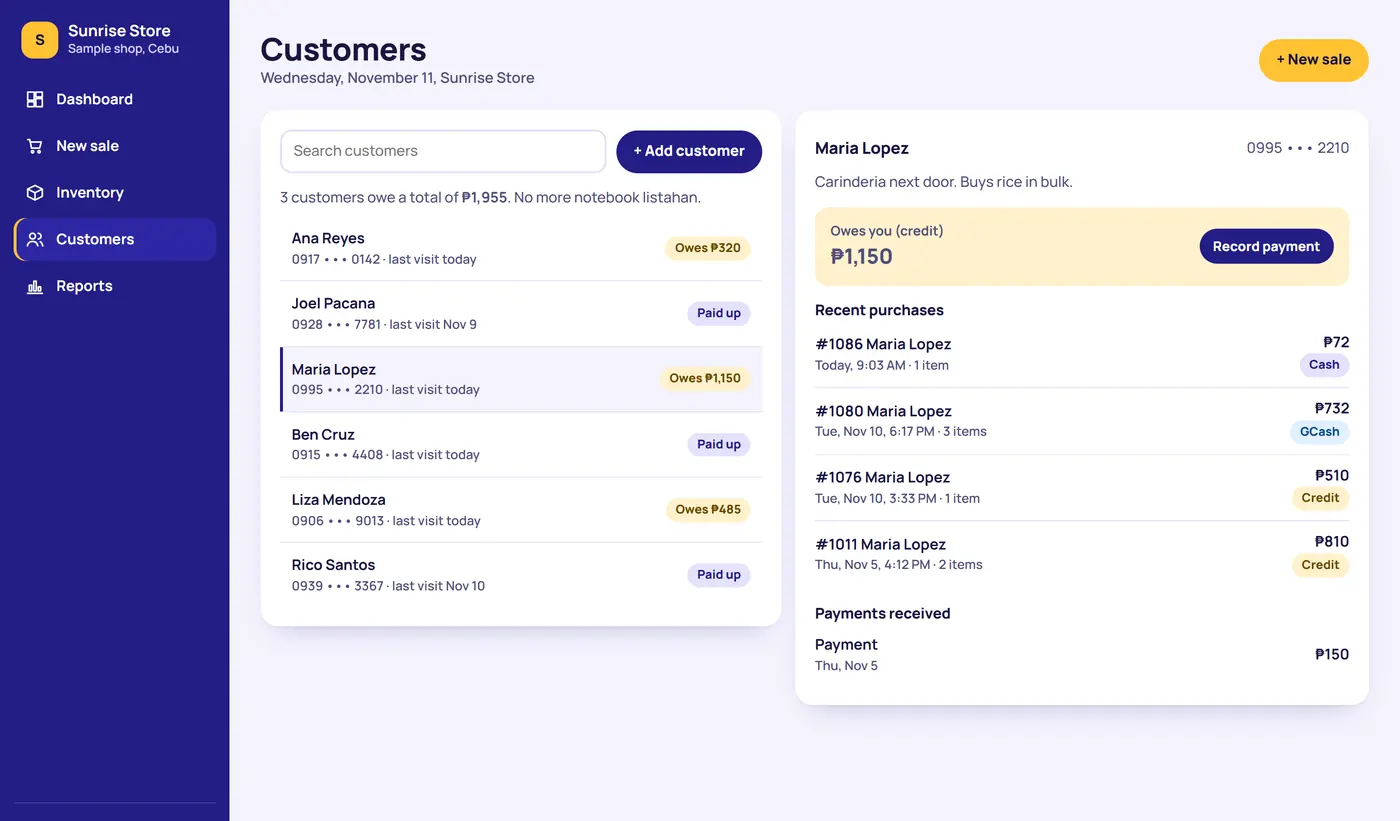
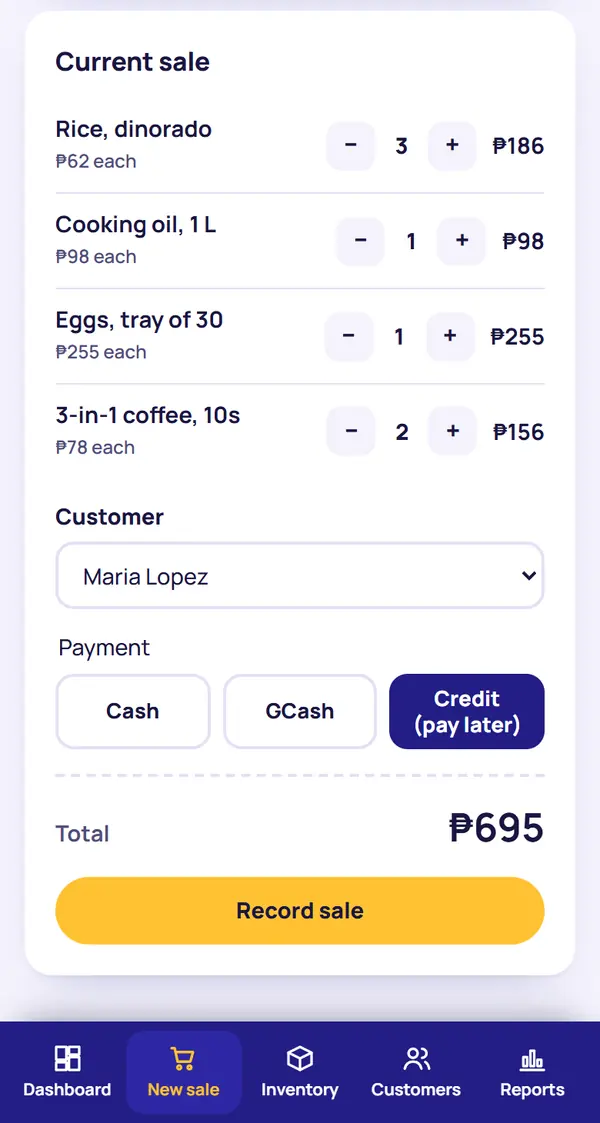
A credit sale is refused until a customer is chosen, so it always goes on someone’s record. Payments can be full or partial and cannot go past what the customer owes.
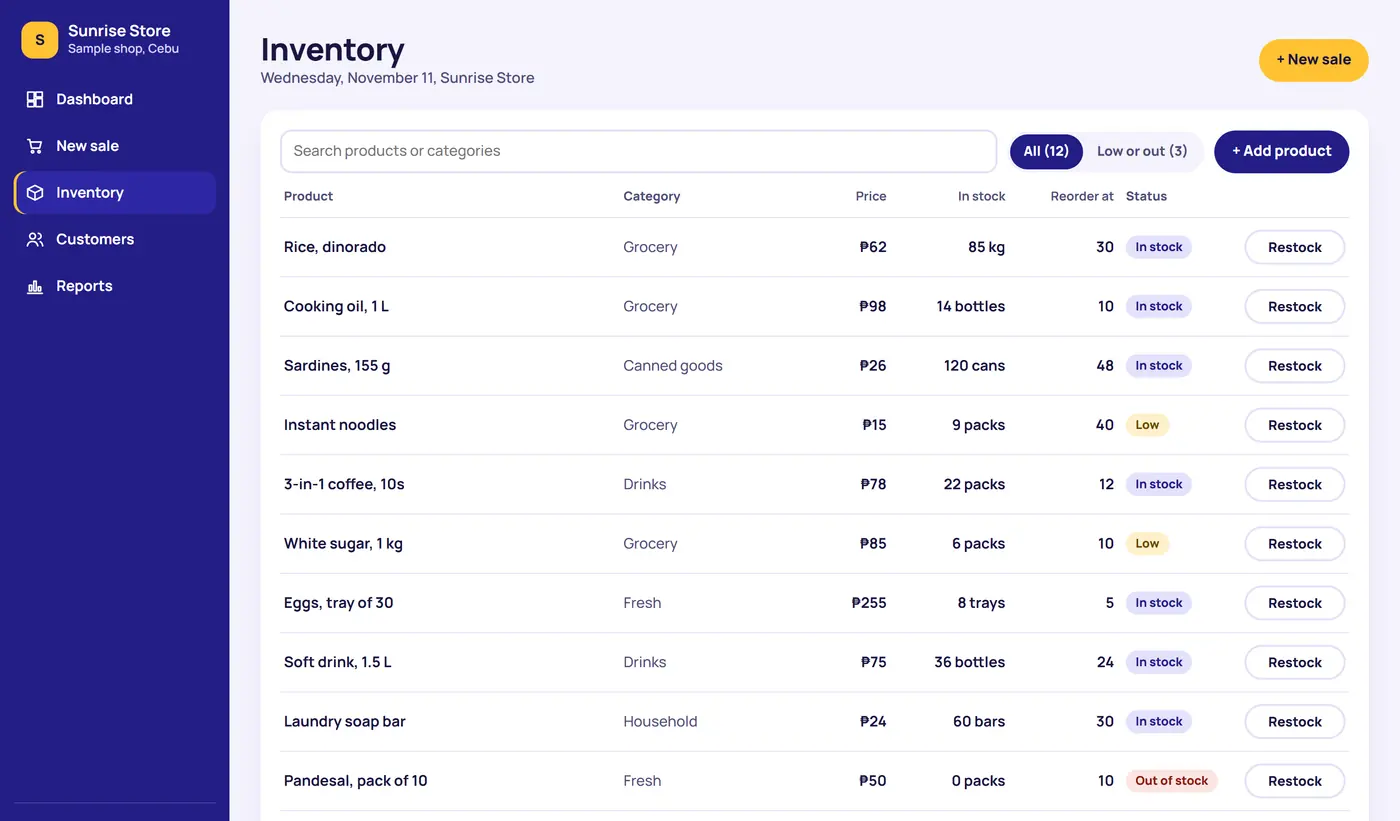
The quantity in a sale cannot go above the stock on hand, and products that have run out cannot be added. Each product has its own reorder level, which decides when it is marked Low.
On a phone the sidebar becomes a bottom tab bar and the inventory table turns into labelled cards, so the selling screen, the stock list and the customer records stay usable with one hand.
The demo has five sections: Dashboard, New sale, Inventory, Customers and Reports. An action in one section shows up in the others straight away. Record a credit sale and the stock drops, the customer’s balance goes up and the day’s report changes. The wording is the kind a shop owner uses, such as “Cash to count in the drawer” and “Remind me to reorder at”.
The demo is a single web page written in plain HTML, CSS and JavaScript. The sample shop is created in the browser each time the page loads, and the end-of-day report prints through the browser’s own print dialog using a layout made for paper. The demo does not include sign-in or saved data. A system built for a real shop adds those, planned around how that shop works.
Key functionality
Today’s sales, the average sale, items that are low or out of stock and unpaid credit, with a seven-day sales chart, a restock list and the latest sales.
Tap product tiles or search to build a sale, adjust quantities, pick a customer and mark it as paid by cash, GCash or credit. Stock is deducted when the sale is recorded.
A product list with prices, units, reorder levels and an In stock, Low or Out of stock status. Search it, filter to low items, add products and restock with a suggested quantity.
See who owes and who is paid up, open a customer to view their purchases and payments, and record a full or partial payment against their balance.
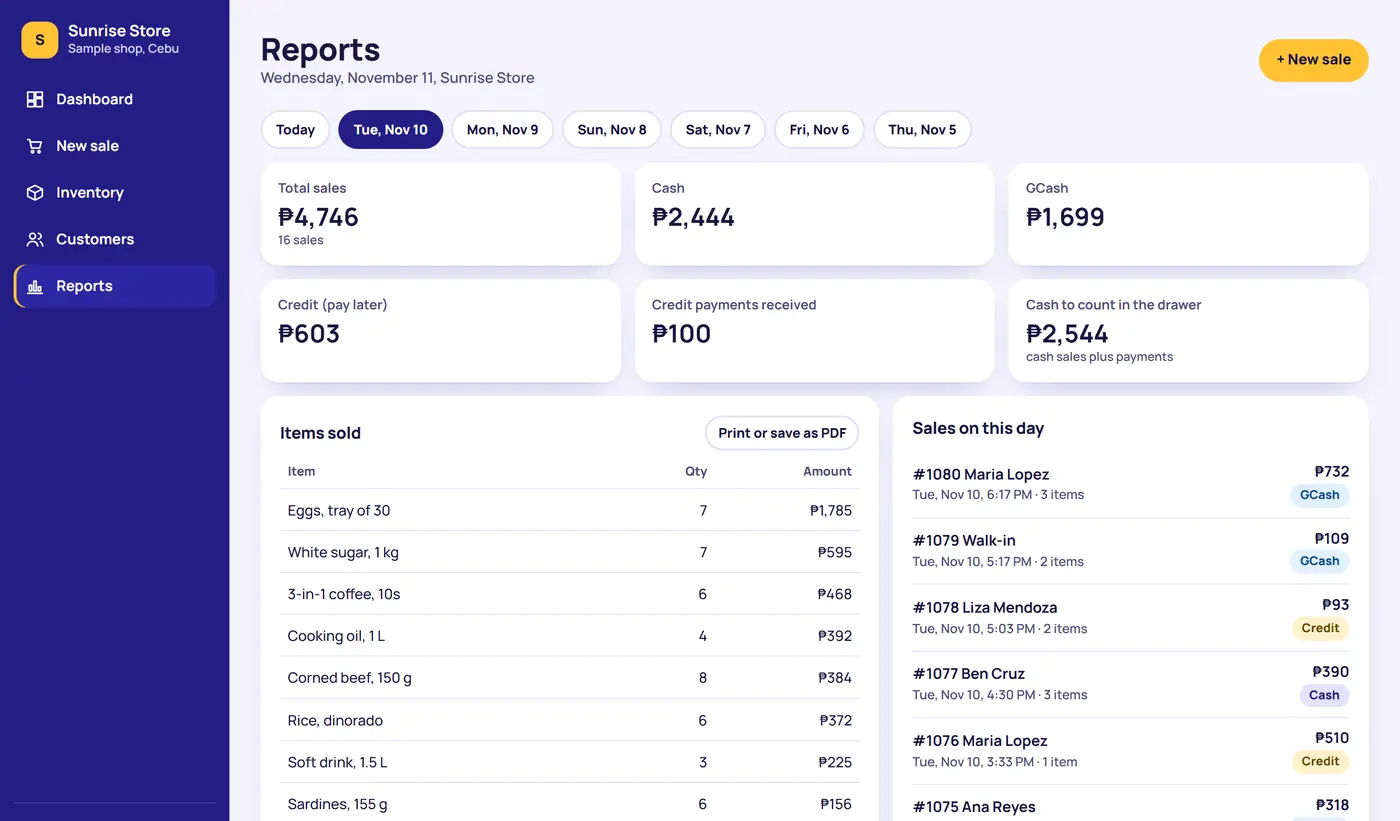
For any of the last seven days: total sales, the split by cash, GCash and credit, credit payments received, the cash to count in the drawer and the items sold. Print it or save it as a PDF from the browser.
The layout adapts to the screen, with a sidebar and tables on a computer and a bottom tab bar and stacked cards on a phone.
Screens
Screens captured from the live demo in November 2026. The shop, the customers and every figure shown are sample data.
Tell us what you want to build. We will reply with a clear plan and a free quote.
or call / Viber 0933 482 3965