A booking page for each club
Every club gets its own page with its logo, photos, prices and link, plus a QR poster to print. Players book with a name and mobile number.
YERS Court Booking is our own product: a subscription web app that gives a court club its own booking page. Players book an hour from their phone, and owners and staff run the day from one dashboard.
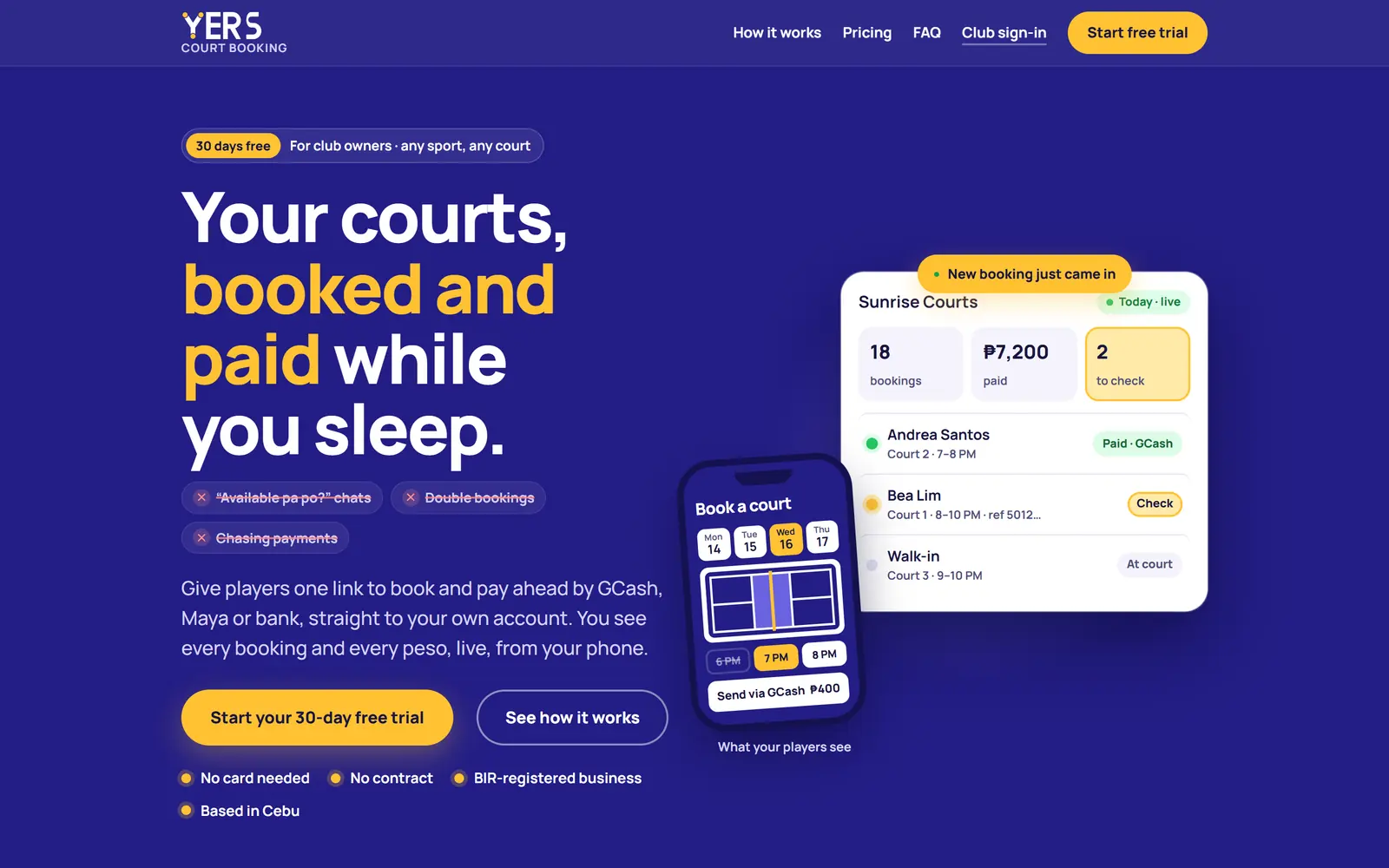
YERS Court Booking is a product we design, build and run ourselves. It is an online booking system for court clubs in the Philippines, such as pickleball, badminton and tennis venues. A club signs up, adds its courts, prices and payment details, and gets its own booking page and a link to share.
Players open the link on a phone, pick a court and an hour, and book with a name and a mobile number. They do not need to install an app or create an account. They pay at the court, or send the money straight to the club by e-wallet or bank transfer and give the reference number.
Owners and staff see bookings and payments on a live dashboard. Clubs pay YERS a monthly subscription for each court. YERS does not receive or hold the players’ money.
Many clubs take bookings through chat, answering the same “is it available?” question all day. The booking page shows free hours to players directly, so they book without waiting for a reply.
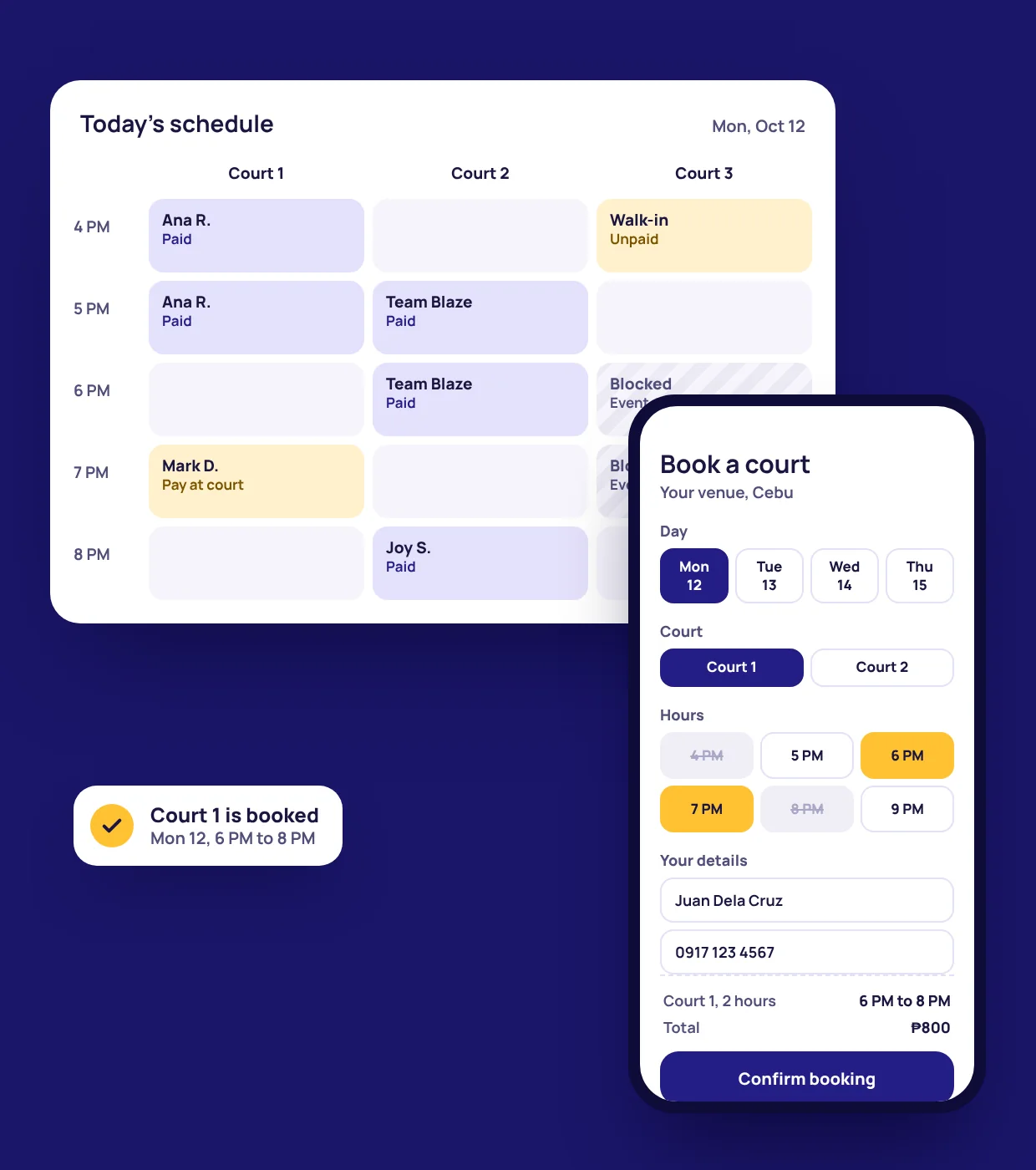
Several players can look at the same hour at the same moment. An hour can be booked only once, and taken hours turn grey for everyone as soon as they are booked.
Players pay the club’s own account, not the platform. The player sends the transfer reference number, the owner checks it and marks the payment as received, and a pay-ahead booking is held only while the player pays.
Owners, staff and players each need different things. Staff logins cover the day’s bookings and payments, while prices, settings and money stay with the owner. Players need no account at all.
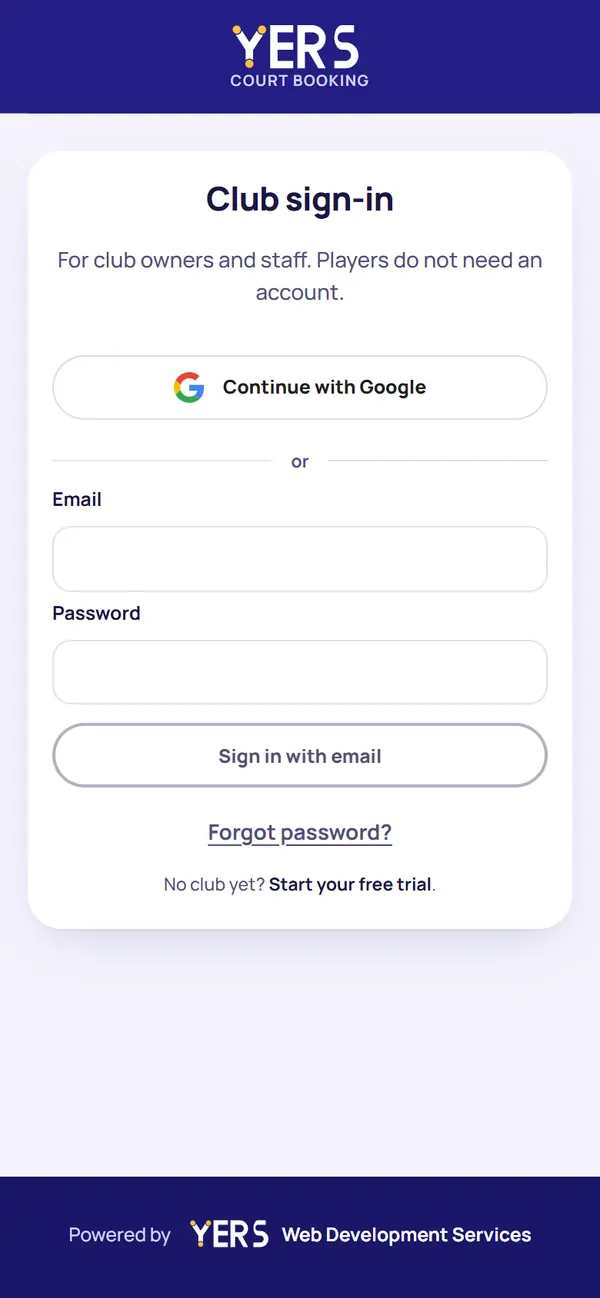
We built a web app where a club signs in with Google or with an email and password, adds its courts, hourly and peak prices, extras such as paddle or racket rental and its payment details, then shares one booking link or a printed QR poster.
Players pick a court, a day and an hour, enter a name and mobile number, and either pay at the court or transfer to the club and send the reference number. New bookings appear on the owner’s dashboard without refreshing the page. Refund rules, staff logins, QR code check-in at the court and earnings reports are part of the same dashboard.
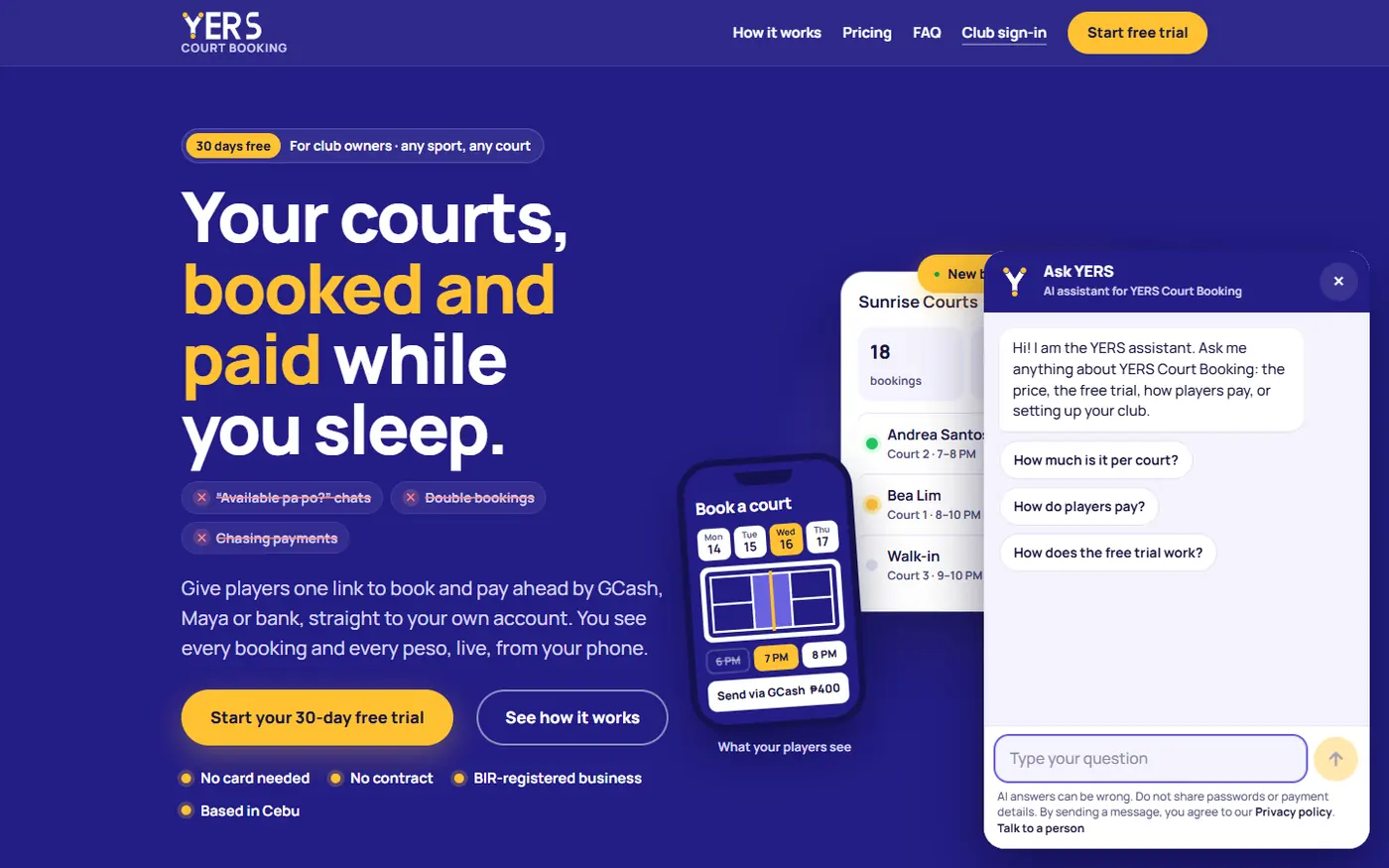
The public site also has an AI assistant that answers visitors’ questions, with a clear note that answers can be wrong and a hand-off to a person.
Key functionality
Every club gets its own page with its logo, photos, prices and link, plus a QR poster to print. Players book with a name and mobile number.
Players transfer to the club’s own e-wallet or bank account and send the reference number, or pay on arrival. The club chooses which options to offer.
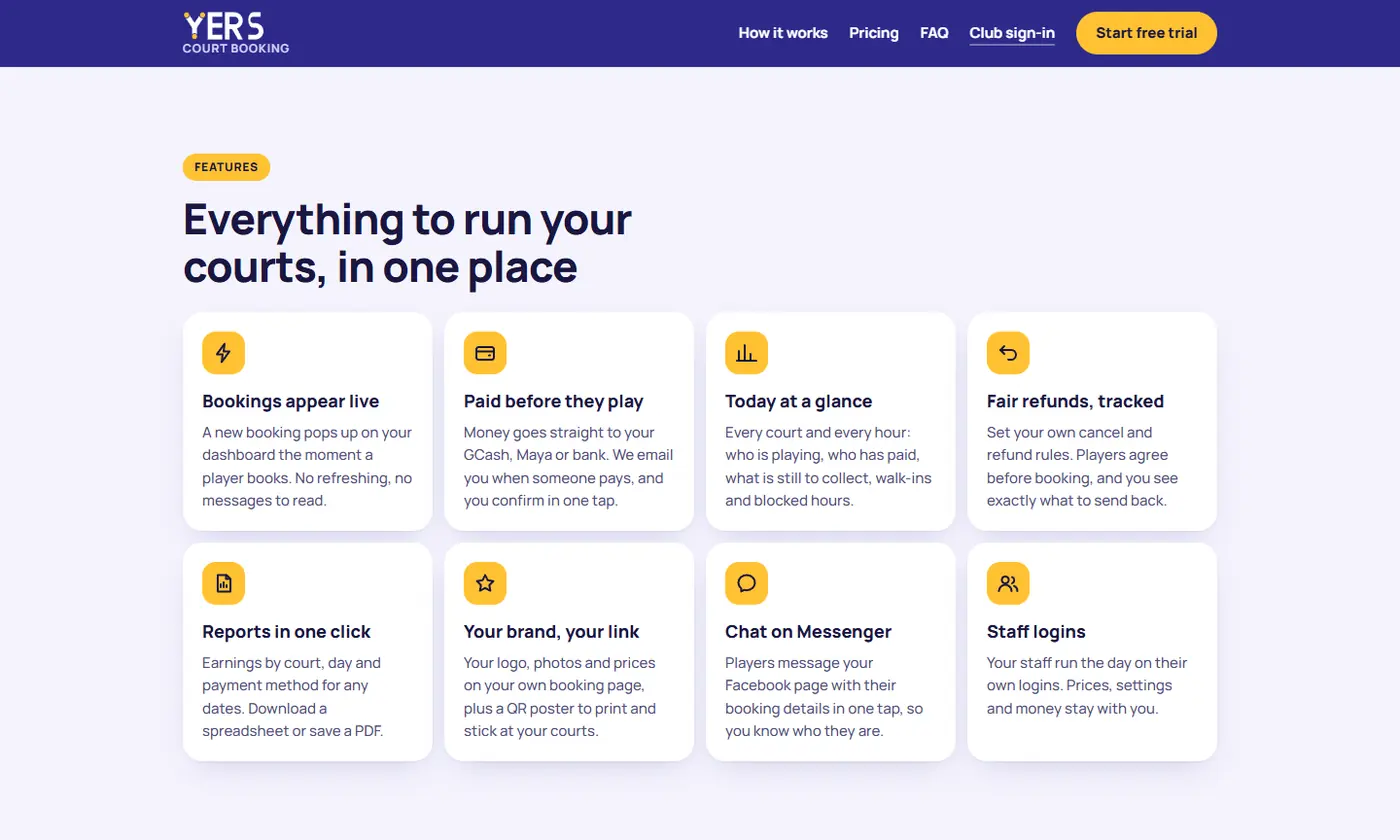
Taken hours turn grey for every player, and new bookings appear on the dashboard as they come in. The day view shows who has paid, what is still to collect, walk-ins and blocked hours.
Staff are invited by email and run the day on their own logins. They scan the QR code on a player’s booking with the phone camera to check the player in.
The club sets its own cancel and refund rules, which players accept before booking. Earnings reports by court, day and payment method download as a spreadsheet or PDF.
An assistant on the site answers visitors’ questions about the product. It states that answers can be wrong and offers a hand-off to a person.
Screens
Screens captured from the live site in November 2026. The dashboard on the home page shows sample data.
Tell us what you want to build. We will reply with a clear plan and a free quote.
or call / Viber 0933 482 3965